

A topic is a category such as Delivery or Product. Keyword-based dictionaries look for words on a list. AI-managed dictionaries can recognise a topic from the meaning of a comment, even when the wording is different.
What you gain:
Topics detected by meaning
AI reads the meaning of each comment, so it can detect a topic despite typos, slang, synonyms, German compound words or phrasing you didn't anticipate. You no longer need to predict every term in a keyword list.The AI also uses your topic hierarchy: Garage > Service and Restaurant > Service are treated as different topics.
Insights in more than 100 languages
Topic detection, translation and sentiment work in more than 100 languages, using the original comment. You no longer need a separate keyword list for each language, and feedback in less common languages can be categorised too.Sentiment for each topic
Sentiment is assessed in the context of the whole comment, rather than only the sentence containing a keyword.For example, in "The product is excellent, but delivery was a disaster," Product can be positive while Delivery is negative.
Less time maintaining topics
To refine a topic, you can edit its description, examples or sentiment indicators in plain language. You don't need to search for a missing synonym and add it to a keyword list.What happens to your existing setup
Your existing dictionaries and topics are the starting point. Feedback already analysed keeps its current topic and sentiment assignments. The new analysis applies to feedback received after your account switches.Your keyword lists will no longer be used for exact matches. If a product name or internal term is important to a topic, make sure its meaning is clear in the topic description or examples. We recommend checking a few important terms after the switch. If you use several dictionaries, your Customer Success Manager can help you review your setup.
How to adjust a topic
Open the Topics page, choose a dictionary and select the topic you want to edit. You can:- Describe the feedback that belongs under the topic.
- Add examples of how customers talk about it, including product names or internal terms.
- Add sentiment indicators to give more context for positive, neutral or negative feedback.
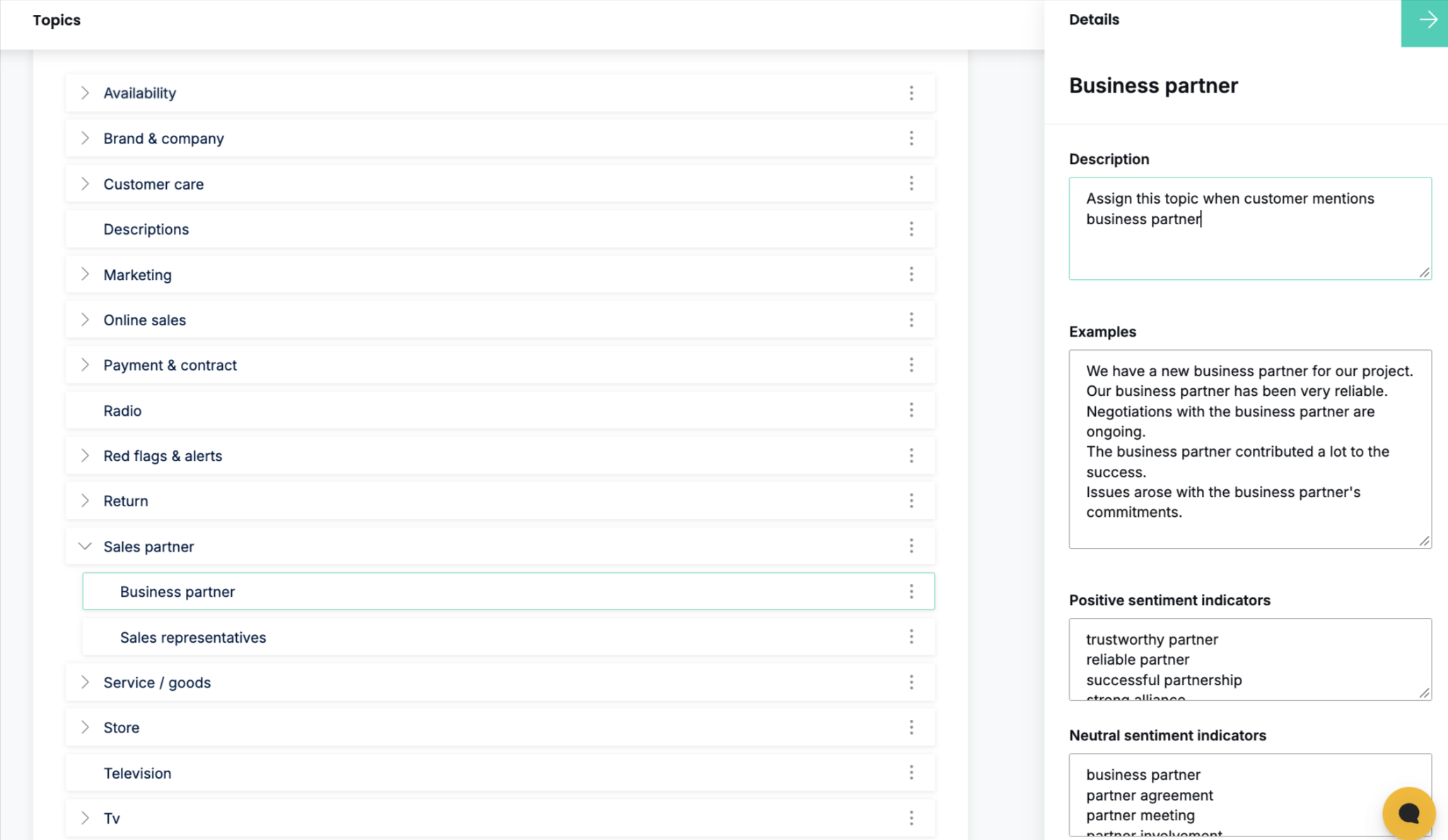
Save your changes when you're done. For a new topic, Generate defaults saves suggested examples and sentiment indicators. Check them afterward and adjust them to fit your customers' language. The button replaces any examples and sentiment indicators already saved on that topic. If you've customized a topic, copy any values you want to keep before clicking it.