

Klaviyo Integration for zenSurvey Responses
With zenloop's native Klaviyo integration, every new zenSurvey response is sent to Klaviyo in real time. No CSV exports, Zapier setup, or custom API work is required.
Your feedback data is added directly to the Klaviyo profile as custom properties, ready to use in segments and automated flows.
Why Connect zenloop and Klaviyo?
- Act on feedback where you run your campaigns. NPS, CSAT, and individual survey answers become part of the Klaviyo profile.
- Segment by feedback. Build segments such as all detractors from the last 30 days or promoters who mentioned delivery.
- Trigger flows automatically. Start a detractor-recovery flow after a low score, or ask happy customers for a review or referral.
- Set up the integration in the zenloop UI in about 5 minutes. Responses appear in Klaviyo seconds after submission.
How It Works
The integration is part of Workflows and is configured per survey. Whenever a response comes in, zenloop sends the selected data to Klaviyo. The profile is matched by the respondent's email address, and the values are written as custom properties on that profile.
What You Need
You need a Klaviyo private API key with write access to profiles. In Klaviyo, go to Settings > Account > API keys to create or manage API keys.
Set Up the Integration
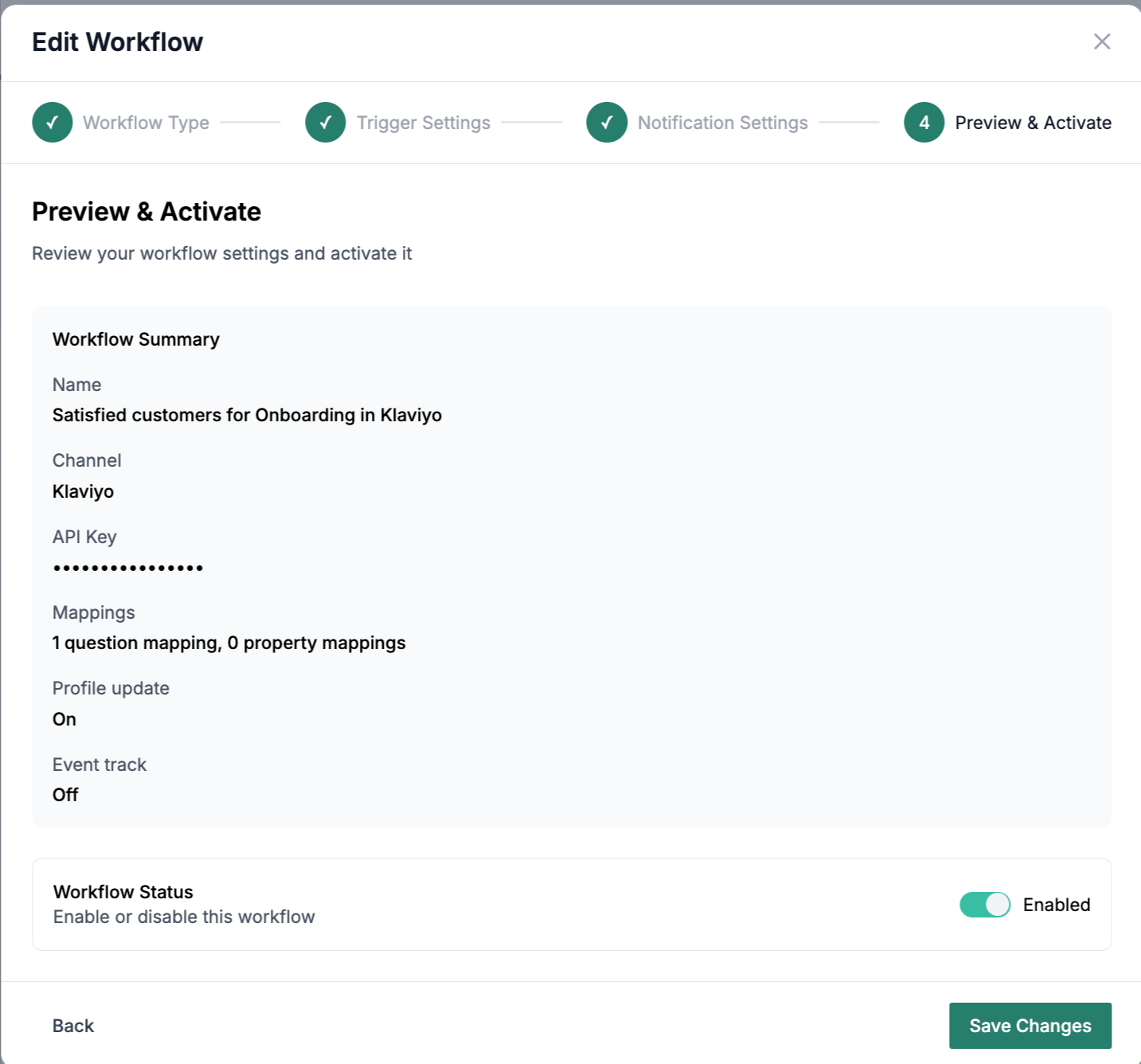
- In zenloop, open Workflows and create a new workflow with the Klaviyo action.
- Select the survey the workflow should run for.
- Paste your Klaviyo private API key.
- Configure the mapping. This defines which data is sent and under which name it appears in Klaviyo.
- Choose when the workflow fires: on completed responses only, which is the default, or on all responses, including partial ones.
- Save and activate the workflow.
Every new response for that survey is now synced to Klaviyo automatically.
Mapping
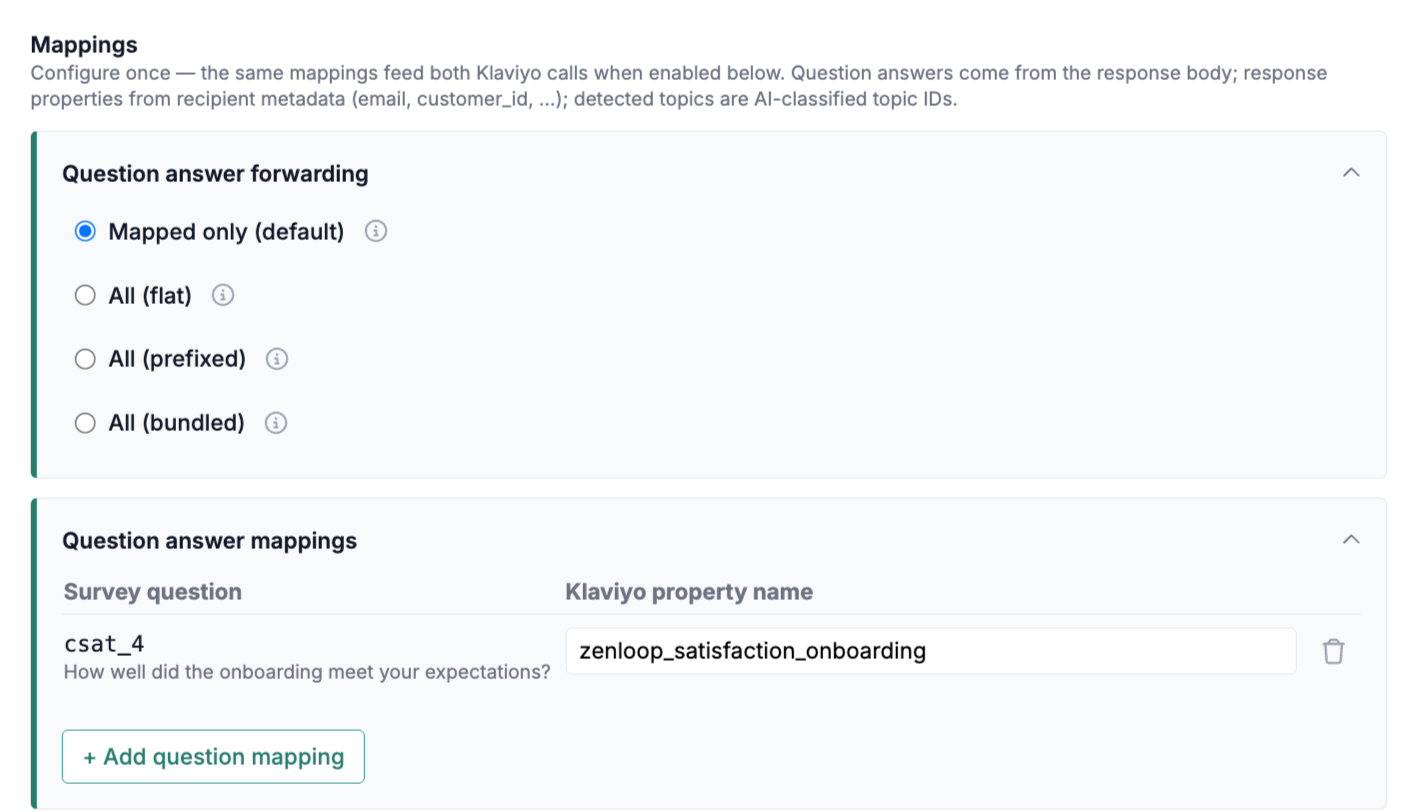
The mapping is the heart of the integration. It has two sections, and both work the same way: each row maps one piece of zenloop data on the left to one Klaviyo property name on the right.
Question Answer Mappings
Use question answer mappings to decide which survey answers are sent.
Click + Add question mapping, choose a survey question on the left, and enter the Klaviyo property name on the right. For example, you can map your NPS question to nps_score.
Response Property Mappings
Response properties are data you attach to a survey yourself when distributing it. Examples include URL parameters or email placeholders such as customer_id or order_id.
Click + Add property, enter the exact source property name on the left, and enter the Klaviyo property name on the right. The optional description field is only an internal note for your team. It is not sent to Klaviyo.
Forwarding Mode
By default, only the rows you mapped are sent. This is the Mapped only mode. Each section also offers three modes that forward everything automatically.
| Mode | What Is Sent | Example |
|---|---|---|
| Mapped only (default) | Only the rows you explicitly mapped. This gives you full control and avoids unexpected properties on profiles. | nps_score |
| All (flat) | Everything is forwarded under its original name. Mapped rows act as renames. | customer_id |
| All (prefixed) | Everything is forwarded with a prefix you define, which helps avoid name collisions with existing Klaviyo properties. | zenloop_customer_id |
| All (bundled) | Everything is bundled into one nested property you name. This keeps the profile tidy, but can be harder to use in segments. | zenloop_response |
Explicitly mapped rows always take priority if names collide. Empty values are skipped, so the integration does not overwrite or delete existing Klaviyo properties with empty data.
Property Naming Rules
Property names can be up to 64 characters and contain letters, numbers, and underscores. Invalid names are flagged directly in the form and cannot be saved.
To write into a Klaviyo built-in property, use its $ name, for example $email or $first_name. Typing email without the $ creates a separate custom property instead. zenloop shows a hint in this case.
Check the Data in Klaviyo
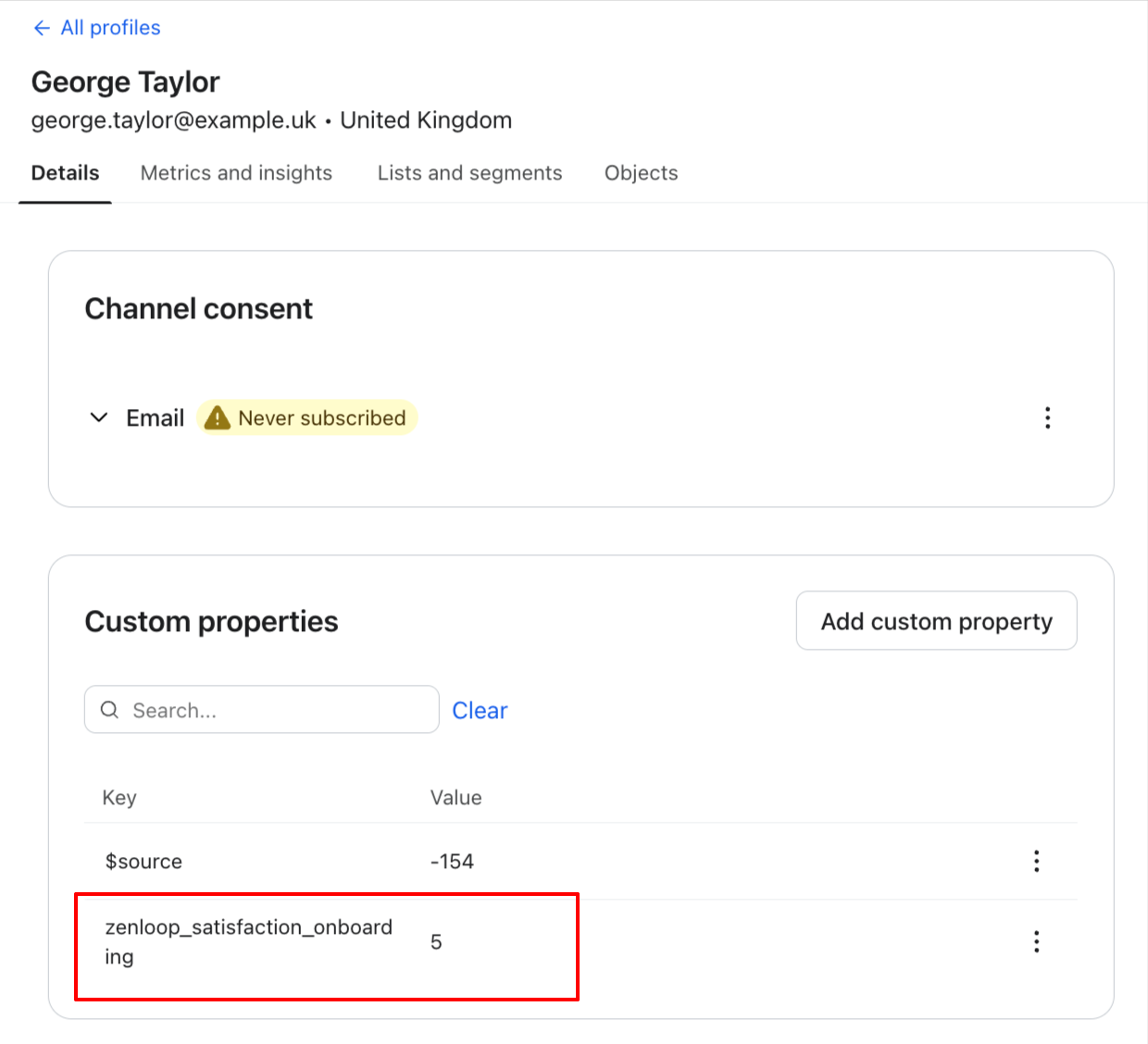
Open any profile in Klaviyo and check the Custom properties section. Your mapped values appear there under the names you defined, for example nps_score: 9.
From there, use the properties like any other profile property. You can include them in segment definitions, such as nps_score is at least 9, and use them as triggers or conditions in flows.
Good to Know
- The sync is real time and one-way: zenloop -> Klaviyo.
- Past responses are not backfilled. Syncing starts when you activate the workflow.
- You can use one workflow per survey and set different mappings, or even different Klaviyo accounts, for different surveys.
Example Use Cases
Win Back Unhappy Customers
Build a Klaviyo segment for all profiles with a csat_score below 3 or an nps_score below 7, then automatically trigger a recovery flow. For example, send a personal apology from support, a voucher, or a callback offer.
This helps you reach unhappy customers within minutes instead of weeks, while there is still time to prevent churn.
If you pass properties such as customer_value or lifetime_value to zenloop, you can scale the response by customer value. For lower-value customers, run the win-back fully automated through a Klaviyo email. For top customers, use a workflow to create a ticket in your ticketing tool or notify your support team so they can follow up personally.
Activate Promoters
Customers with an nps_score of 9 or 10 are strong candidates for reviews and referrals. Trigger a flow that asks them for a referral with a personal code at the moment of peak satisfaction.
More reviews can lower acquisition costs, and referrals often convert better than paid campaigns.