

Every time someone submits a survey response, zensurveys checks your active workflows:
Does this response match the workflow's filters? (score range, specific answers, properties)
If yes → execute the action (send email, post to Slack, create a Salesforce Case, etc.)
You can create multiple workflows per survey, each with different filters and destinations.
Supported Integrations
Communication
| Tool | What It Does | What You Need |
|---|---|---|
| Sends an email alert with the response details | Recipient email addresses | |
| Slack | Posts a formatted message to a Slack channel | Slack incoming webhook URL |
CRM & Support
| Tool | What It Does | What You Need |
|---|---|---|
| Salesforce | Creates a Case with mapped survey fields | Salesforce Connected App credentials () |
| Zendesk | Creates a support ticket with response data | Zendesk API key, subdomain, admin email |
Marketing
| Tool | What It Does | What You Need |
|---|---|---|
| Emarsys | Creates or updates contacts, triggers events, adds to segments | Emarsys API key and secret key |
Automation Platforms
| Tool | What It Does | What You Need |
|---|---|---|
| Zapier | Triggers a Zap with the full response payload | Zapier catch webhook URL |
| Custom Webhooks | Sends an HTTP POST to any URL you specify | Your endpoint URL |
Social Media
Publish customer testimonials or feedback highlights automatically via Ayrshare:
| Platform | What You Need |
|---|---|
| Facebook, Instagram, LinkedIn, Twitter/X, TikTok, YouTube, Pinterest, Reddit, Threads, Bluesky | Ayrshare API key and profile key |
Creating a Workflow
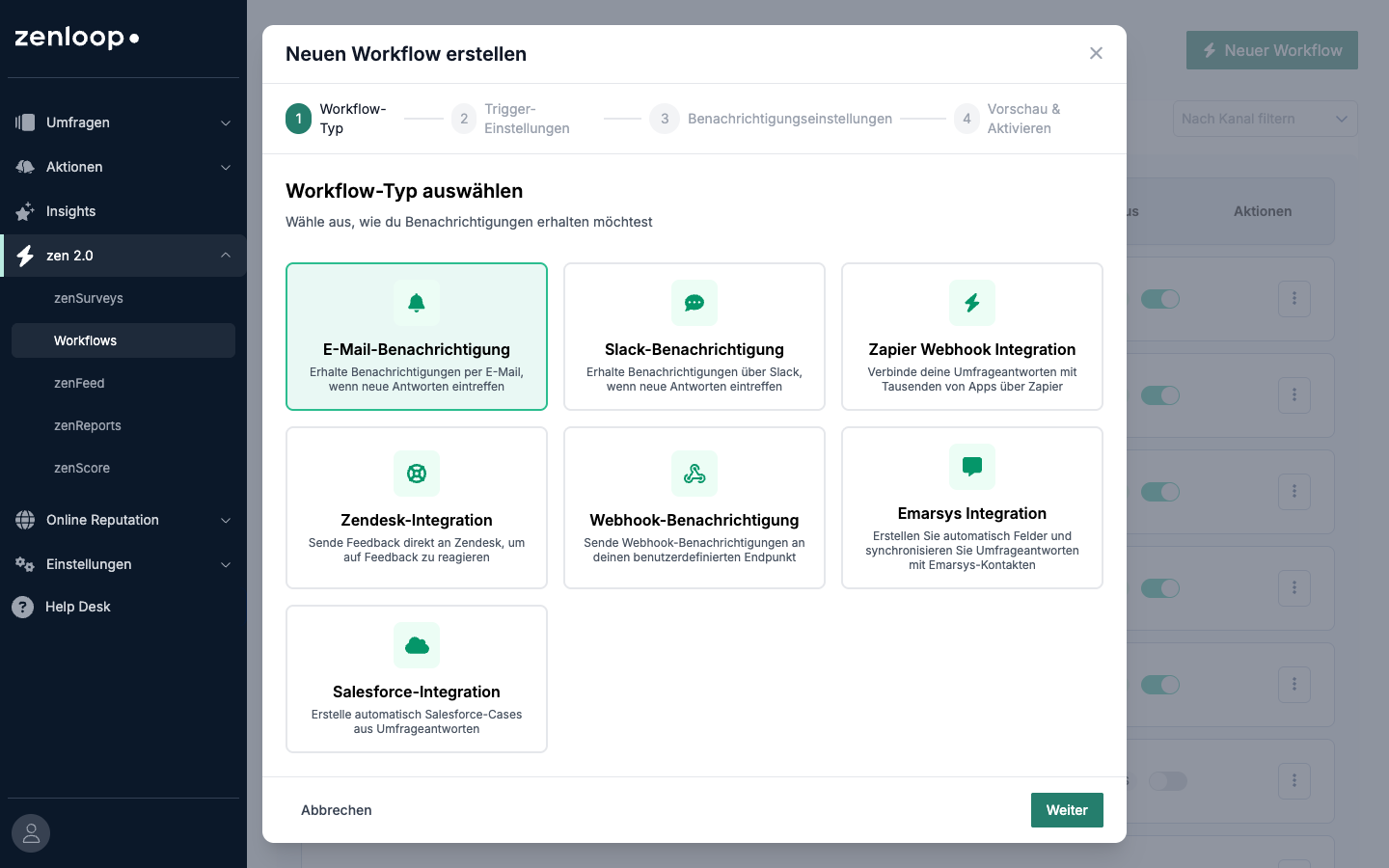
Step 1: Choose Your Survey and Channel
Open a survey in zensurveys
Go to the Workflows tab
Click Create Workflow
Name it descriptively (e.g., "Detractor alerts to Slack")
Select the notification channel
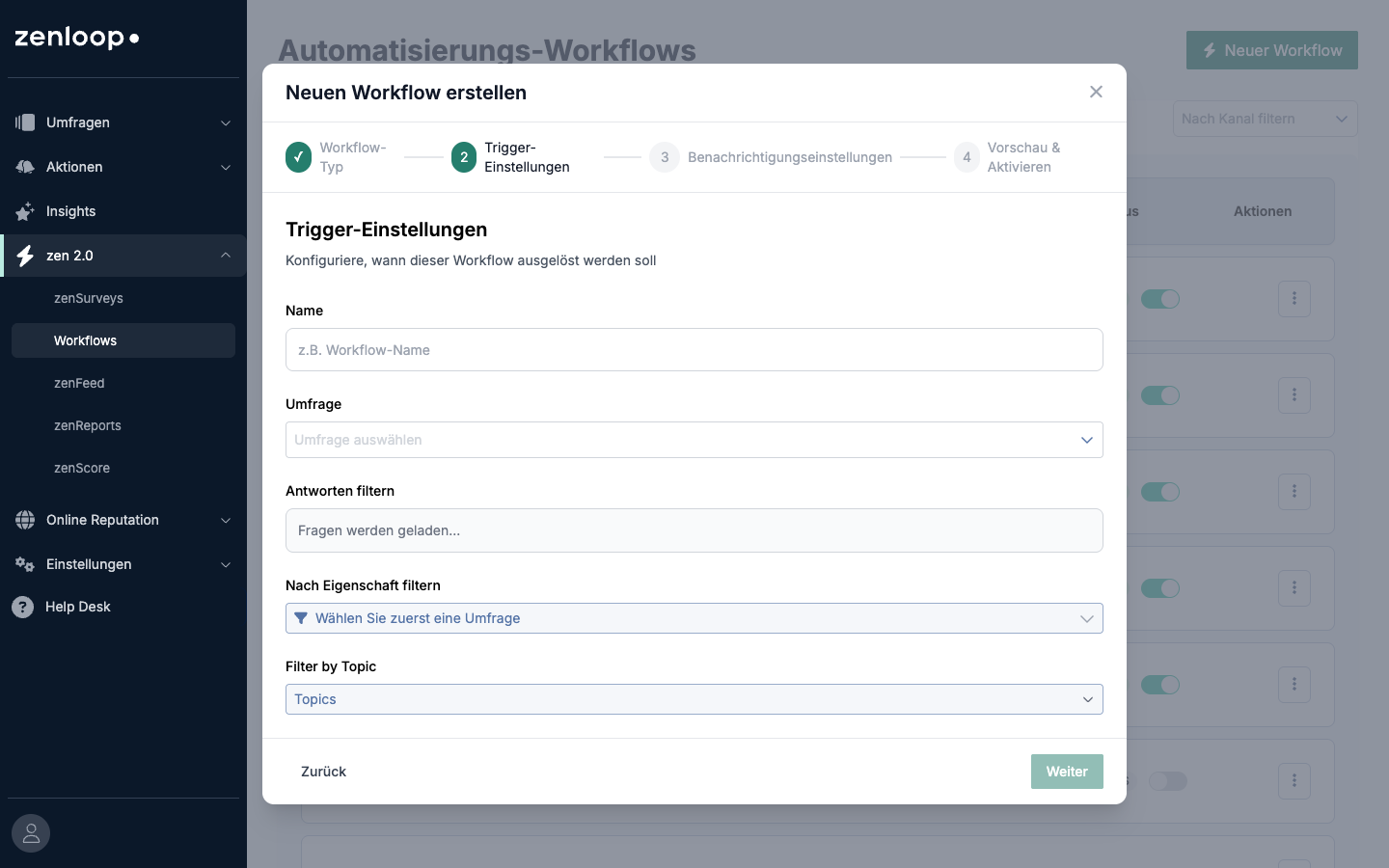
Step 2: Set Filters
Control which responses trigger this workflow:
By score: Only detractors (0–6), passives (7–8), or promoters (9–10)
By question response: Specific answers to specific questions
By response property: Metadata like region, product, or customer tier
By topic: Topics that zensurveys automatically identifies from the written feedback (e.g., "delivery speed," "product quality")
All filters use AND logic — every condition must be true. Within a single filter, values use OR logic.
Example: Score is 0–6 AND Region is "EMEA" or "APAC" → triggers the workflow.
Step 3: Configure the Action
Configuration varies by channel:
Add one or more recipient email addresses
Optionally customize the email body
Slack / Webhooks / Zapier
Paste your webhook URL
Choose a payload format:
Text — Human-readable summary (best for Slack)
JSON — Structured data with all response fields and metadata
Custom — Your own template using placeholders like
{{survey_name}},{{response.fieldName}}
Optionally add custom headers (e.g., authorization tokens)
Optionally set a secret key for webhook signature verification (HMAC-SHA256)
Salesforce
Authenticate via OAuth
Map survey questions to Salesforce Case fields
See the for full setup instructions
Zendesk
Enter your Zendesk subdomain, admin email, and API key
Tickets are created automatically with survey data and tagged with the survey name
Emarsys
Enter your API key and secret key
Choose an action:
Create contact — Push response data as a new or updated contact
Trigger event — Fire an Emarsys automation event
Add to segment — Add the respondent to a specific segment (contact list)
Map survey fields to Emarsys fields
Specify the identifier field (e.g., Email, Customer ID)
Social Media
Enter your Ayrshare API key and profile key
Write a post template using placeholders:
{{nps_score}},{{nps_feedback}},{{customer_name}}Optionally add hashtags and configure link shortening
We recommend using score-based filters (promoters only, 9–10) to ensure only positive feedback is published
Step 4: Activate
Toggle the workflow to Enabled. Submit a test response to verify it works.
Webhook Payload Examples
Text Format (Slack-compatible)
*Customer Satisfaction Survey*

*How would you rate us?*
9

*What could we improve?*
Everything was great, fast delivery!

_Answered | Mar 10, 2026_
JSON Format
{
  "event": "survey_response",
  "timestamp": "2026-03-10T14:30:00+00:00",
  "data": {
    "responses": {
      "nps_rating": 9,
      "comment": "Everything was great, fast delivery!"
    },
    "responses_labeled": {
      "How would you rate us?": 9,
      "What could we improve?": "Everything was great, fast delivery!"
    }
  },
  "metadata": {
    "survey_id": "abc-123",
    "survey_name": "Customer Satisfaction Survey"
  }
}
Custom Format
Use placeholders in your own template:
{
  "source": "zensurveys",
  "score": "{{response.nps_rating}}",
  "feedback": "{{response.comment}}",
  "survey": "{{survey_name}}"
}
Webhook Security
If your endpoint needs to verify that requests come from zensurveys:
Set a secret key in the workflow configuration
zensurveys signs every payload with HMAC-SHA256 using that key
The signature is included in the
X-Webhook-SignatureheaderOn your server, compute the signature from the request body and compare
Retry Behavior
Webhooks: Up to 3 retries with increasing wait times (1s, 2s, 4s)
Email: Single attempt; failures are logged
Salesforce/Zendesk: Retries with automatic token refresh if needed
Social media: Single attempt via Ayrshare
If a destination is persistently unreachable, the workflow is paused and your team is notified.
Tips and Best Practices
Start with email alerts for quick wins — no external setup required
Use filters to avoid notification fatigue. Alerting on every response gets noisy fast
Name workflows descriptively so you can tell them apart at a glance
Test with a real response before going live — use a test recipient for your filters
Use JSON format for Zapier or custom integrations; use text format for Slack
Set a webhook secret for any endpoint that processes data automatically
One workflow per use case is cleaner than one workflow trying to do everything
FAQ
Can I have multiple workflows on the same survey? Yes. Each workflow runs independently with its own filters and destination.
Do workflows trigger on partial responses? No. Workflows only fire when a customer completes and submits the survey.
What if I change my survey after setting up workflows? Workflows continue to work. If you remove a question that was used in a filter or field mapping, that specific filter/mapping is skipped — other conditions still apply.
Can I test a workflow without submitting a real response? For Salesforce, you can use the Test Mapping