

The Problem
You uploaded a logo to your zen survey, but it only shows up in one language (like German) and not in others (like English).
Why This Happens
zenloop ties your logo to whichever language is set as default when you upload it. If you upload while working in a non-default language, the logo sticks to just that language.
Common scenario: AI features set English as default, but you work in German. You upload the logo while editing the German version, and it never appears in English.
The Fix
Follow these four steps:
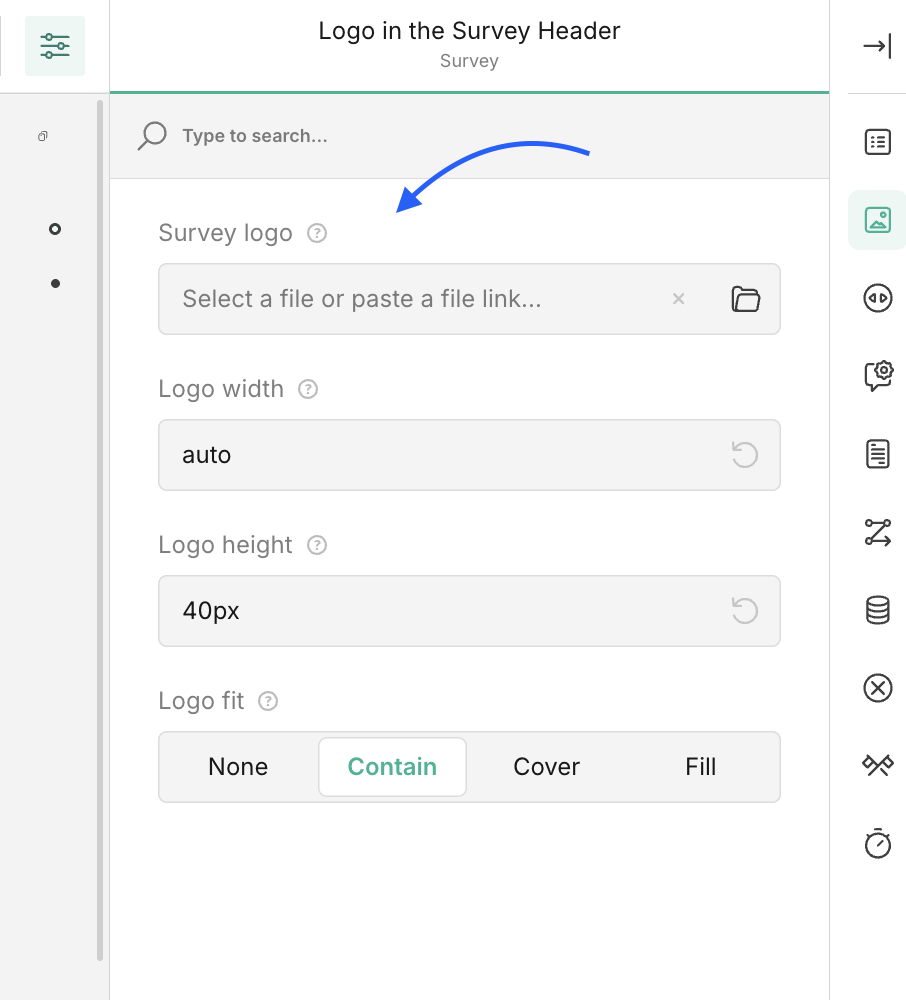
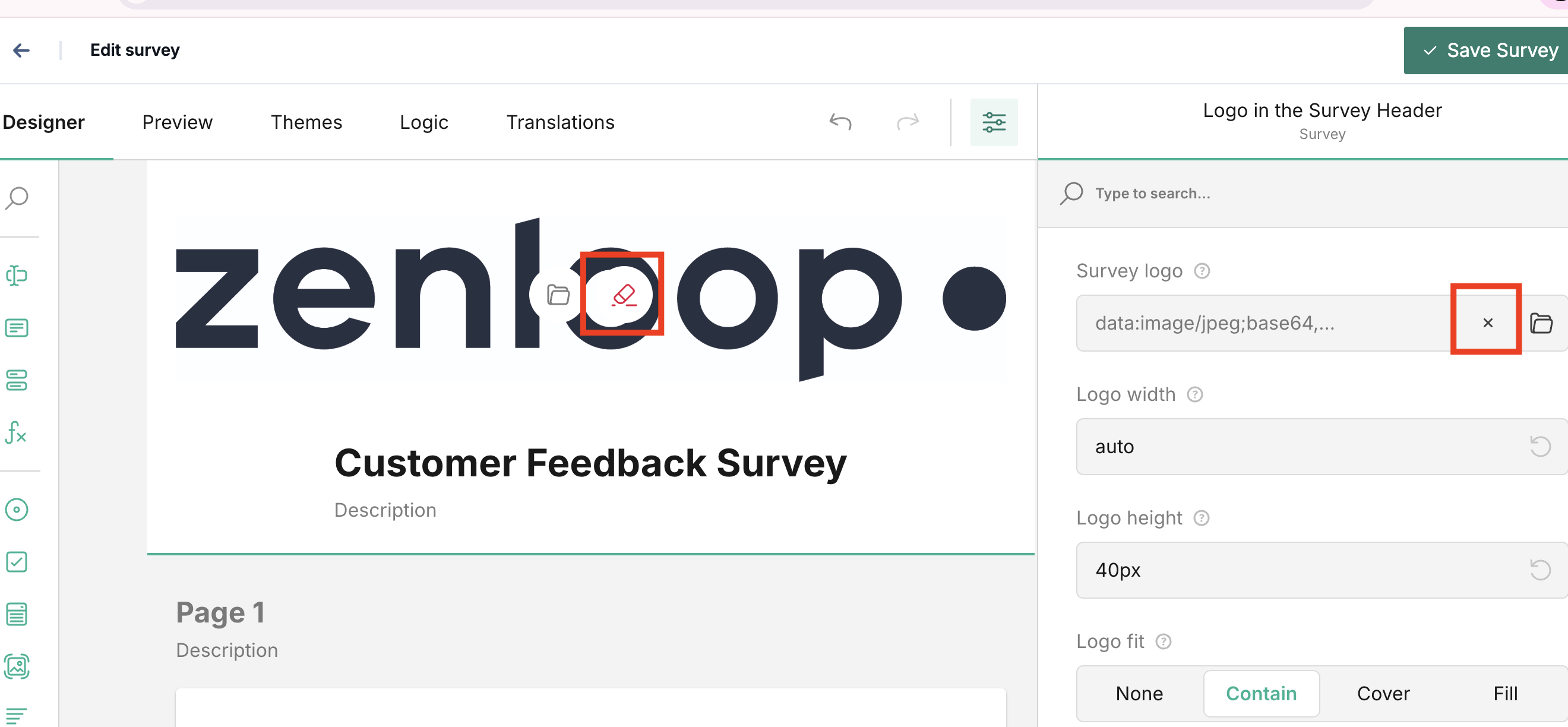
Step 1: Delete the existing logo
Go to your survey editor and remove the logo you already uploaded.
or
Step 2: Check your default language
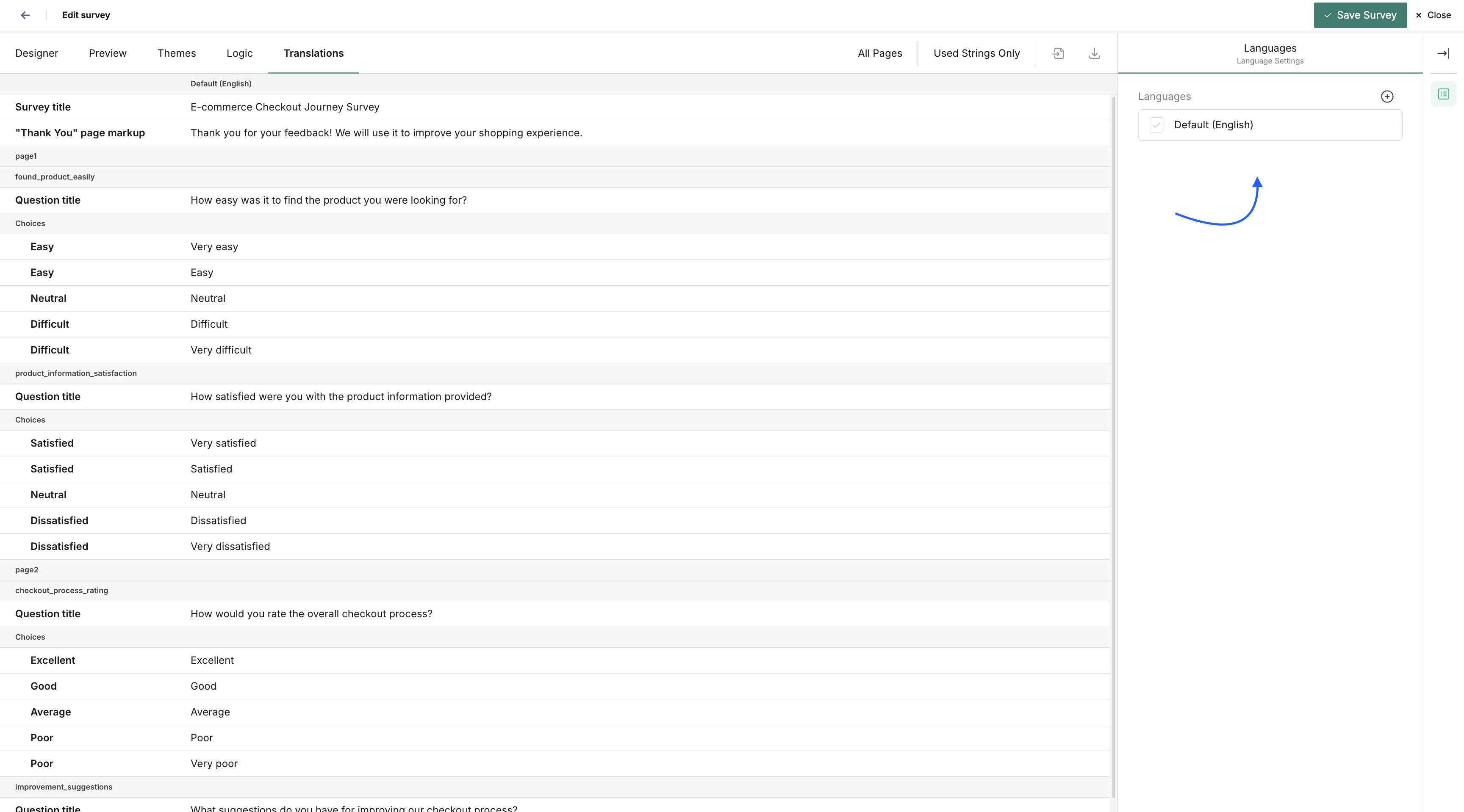
Open your survey settings
Find the Default Language setting either in the General settings or in the Translation tab
Note which language is currently default.
Step 3: Upload the logo in the default language
Switch to the language that's set as default
Upload your logo
The logo now applies to all language versions
Step 4: Switch back to your preferred language
You can now change the default language back to your preferred working language. The logo stays visible across all languages.
Quick Checklist
Before uploading a logo:
✅ Check which language is set as default
✅ Switch to that language in the editor
✅ Upload your logo
✅ Verify it appears in all language versions
Still Not Working?
Try these troubleshooting steps:
Clear your browser cache
Press Ctrl+Shift+Delete (Windows) or Cmd+Shift+Delete (Mac), select cached images, and clear. Old cached data sometimes shows outdated survey versions.
Try a different browser
Open your survey in Chrome, Firefox, or Safari. If the logo appears there, the issue is browser-specific.
Check your file format
zenloop accepts PNG, JPG, and SVG only. Check your file extension before uploading.
Test all language versions
Click through each language in your survey preview. The logo should appear in every single one.
Need Help?
Contact zenloop support at support@zenloop.com with:
Which language is set as default
Which language you were working in when you uploaded
A screenshot showing the issue
Your browser and version